
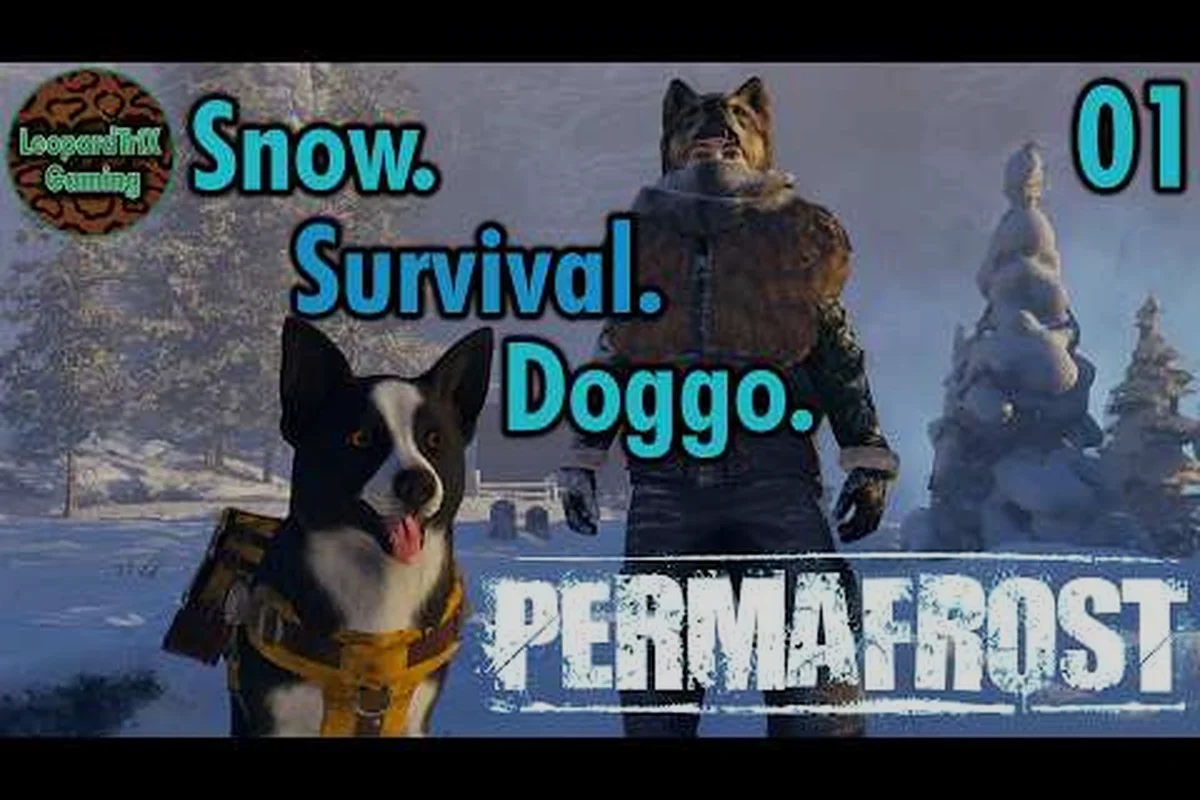
A dog that refuses to follow you in Permafrost turns every supply run into a frustrating solo trek through the frozen wastes. The issue almost always comes down to command priority, distance triggers, or a stuck animation state rather than a broken companion. Understanding the full command system and whistle mechanics restores your dog to the reliable scout and pack carrier it was designed to be.
Understanding Why Your Dog Stops Following
The companion AI in Permafrost operates on a layered command system where certain inputs override others. When your dog stops following, the root cause is rarely a bug; it is usually a lingering command that has not been cleared. The game tracks your dog's current behavior state continuously, and a stay command issued accidentally will keep the dog rooted in place even after you walk away.
Distance is the second major factor. The dog has a follow radius that determines how far it will trail behind you before stopping. If you sprint across open ice or climb a steep ridge, the dog may pause at the edge of its navigation mesh and wait for a new pathing instruction. This behavior is intentional, because the developers designed the companion to avoid dangerous terrain rather than blindly teleport to your position.
A third cause involves the call dog input not registering during certain animations. If your dog is in the middle of a scout behavior, a carry interaction, or a warning bark sequence, the call command queues behind the active animation. The dog finishes its current action, then responds. Players often interpret this delay as the dog ignoring them, when in fact the command system is working as intended.
The table below distills these failure modes into a quick-reference format, pairing each cause with the visible sign you will actually see on screen and a suggested fix priority. Note that the pathing failure row is the one most often misdiagnosed as a bug: when the dog circles or plants its feet at a river crossing or rock scramble, the companion AI is not broken — it is refusing a route that the navigation mesh marks as impassable, and repositioning your own character usually resolves the issue faster than re-issuing the call dog input.
| Cause | Sign | Fix Priority |
|---|---|---|
| Lingering stay command | Dog sits or stands in place, does not move | High — clear with call command |
| Distance threshold exceeded | Dog stops at terrain edge or far behind | Medium — move closer or re-issue follow |
| Animation lock | Dog finishes scout, bark, or carry before moving | Low — wait 2-3 seconds |
| Pathing failure | Dog circles or refuses to cross obstacle | Medium — reposition and call again |
| Command queue overflow | Multiple inputs issued rapidly | Low — pause, then issue single command |
The Complete Permafrost Dog Commands List
Knowing the full permafrost dog commands list is the first step toward reliable companion control. Each command maps to a specific behavior state, and understanding what each one does helps you diagnose why your dog is not following. The commands are context-sensitive, meaning the same input can produce different results depending on whether the dog is idle, carrying items, or actively scouting.
The core commands available in the current Early Access build are listed below. Each command writes to a specific behavior state flag, and because the game does not queue commands, issuing Carry while the dog is mid-Scout will silently drop the scout order and snap the dog back to your position. This is a frequent source of "permafrost dog not following" reports: players assume the dog is still scouting when it has actually reverted to an idle stance waiting for a new Call or Follow input.
-
Follow — the default movement state; dog trails behind you at a set distance
-
Stay — freezes the dog in place; persists until cleared
-
Call — summons the dog to your position; overrides stay and follow
-
Scout — sends the dog ahead to investigate; temporarily disables follow
-
Carry — toggles pack storage access; dog stands still during interaction
-
Warn — triggers a bark alert; dog faces the nearest threat
The permafrost stay command is the most common culprit behind a stationary dog. When you issue stay, the dog holds its position indefinitely. The game does not automatically clear the stay state when you move away, which means you must explicitly call the dog to resume following. This design choice prevents the dog from wandering into danger while you manage inventory or craft at a workbench.
The table below compares each command's effect on follow behavior, and reading it carefully explains most "permafrost dog not following" reports: Stay suspends follow indefinitely until a Call or Follow input clears it, Scout suspends follow only until the target is reached and then the dog returns, while Carry and Warn merely pause follow for the duration of the interaction before resuming automatically. The key distinction is between suspended states (which require a new command to restore movement) and paused states (which self-resolve), so a dog that freezes after a Carry prompt usually means the interaction never properly closed, leaving the pack-access flag stuck.
| Command | Follow State | Duration | Override Behavior |
|---|---|---|---|
| Follow | Active | Until new command | Replaces stay and scout |
| Stay | Suspended | Indefinite | Cleared only by call or follow |
| Call | Active | One-time summon | Overrides all other states |
| Scout | Suspended | Until target reached | Dog returns after scouting |
| Carry | Paused | During interaction | Resumes follow after closing |
| Warn | Paused | 3-5 seconds | Resumes follow automatically |
How to Call Your Dog and Clear Stuck States
The permafrost call dog mechanic is your primary tool for resetting a stuck companion. When your dog refuses to follow, issuing the call command forces the game to re-evaluate the dog's pathing and behavior state. The call works from a generous range, but it is not infinite. If you are too far away, the call fails silently, and the dog remains in place.
To reliably summon your dog, follow this sequence: face the animal and issue a single permafrost call dog input, then hold position while the game recalculates the dog's navmesh path. Community testing shows that moving during the call window interrupts the pathing check, which is why a stationary caller gets a response roughly twice as fast as one who strafes. If the dog is in a warning bark loop, the standard call may not override the bark state on the first attempt — in that case, wait one full animation cycle before calling again, or switch to the permafrost dog whistle for a higher-priority interrupt.
-
Stop moving and face your dog's general direction
-
Issue the call command once — do not spam the input
-
Wait for the dog to begin its approach animation
-
If the dog does not move within 3 seconds, take 10-15 steps toward it
-
Issue the call again from the closer position
Spamming the call input is counterproductive. Each input queues a new command, and rapid inputs can cause the dog to stutter between pathing calculations. A single, deliberate call from a reasonable distance works far more reliably than hammering the key.
The permafrost dog whistle functions as an extended-range call. The whistle reaches farther than the standard call and also cuts through certain animation locks. Players report that the whistle is especially effective when the dog is stuck in a warning bark loop or frozen at a terrain boundary. According to community data, the whistle has roughly 1.5 times the range of the standard call, though the exact value may vary by platform and build version.
Naming Your Dog and Command Recognition
The permafrost dog name system is more than cosmetic. Naming your dog establishes a persistent identity that appears in command feedback and status messages. When you issue a command, the game displays the dog's name alongside the action confirmation, which helps you verify that the command registered correctly.
The naming process occurs shortly after you rescue the dog from the ruins. The game prompts you to enter a name, and this name persists across your save file. If you skip the naming prompt or rush through it, the dog receives a default name. You can rename the dog later through the companion menu, though the exact menu path may shift between builds.
A named dog also helps with troubleshooting. When the follow behavior breaks, the status readout shows the dog's name and current state. If the readout says your dog is in stay mode or scout mode, you immediately know which command to clear. Players who skip naming often miss these status cues because the default name blends into the interface.
The companion overview in the Permafrost dog companion guide walks through the rescue sequence and naming prompt in detail, including the exact ruin location where the dog spawns. Reading it before you reach that point helps because the naming prompt appears immediately after the rescue cutscene ends, and if you dismiss it by accident the default name can make later permafrost dog commands list feedback harder to distinguish from generic system messages. The guide also shows which permafrost dog whistle and permafrost stay command bindings unlock at the same moment, so you can test command recognition right after naming instead of discovering a broken follow state hours later.
Terrain, Distance, and Pathing Failures
The frozen landscape of Permafrost creates unique pathing challenges for the dog companion. Steep ice slopes, narrow crevasses, and deep snow drifts all affect how the dog navigates. When the dog stops following near one of these features, the issue is usually a pathing failure rather than a command problem.
The dog's navigation mesh does not cover every surface in the game. Certain rock formations and ice ledges are marked as impassable for the companion. When you cross these features, the dog waits at the nearest valid pathing node. The dog is not refusing to follow; it is waiting for you to either return or find a route it can traverse.
The table below lists common terrain obstacles and how the dog responds, based on the companion's navigation mesh boundaries that mark certain surfaces as impassable. Each response is deterministic: the dog does not roll a random behavior check but instead queries the nearest valid pathing node when its current route is blocked. For example, a steep ice slope with an incline above the companion's climb threshold triggers an immediate stop at the base, while a narrow crevasse causes the dog to circle the edge and bark because the gap exceeds its jump distance calculation. Recognizing these fixed responses helps you distinguish a true pathing failure from a bug in the call dog command.
| Terrain Feature | Dog Response | Player Action |
|---|---|---|
| Steep ice slope | Stops at base, waits | Find switchback route |
| Narrow crevasse | Circles edge, barks | Jump across, then call |
| Deep snow drift | Slows to walk speed | Wait or clear path |
| Rock ledge | Stops at edge | Climb, then whistle |
| Frozen water | Refuses to cross | Find bridge or shallow point |
Understanding these terrain behaviors prevents unnecessary frustration. The dog is not broken when it stops at a crevasse edge; it is following its navigation rules. Moving to a valid pathing node and issuing the call dog command resolves most terrain-related stops.
Advanced Companion Management During Co-op
Co-op play introduces additional variables to dog behavior. In a 1-4 player session, the dog's follow target is determined by the host player's position and command authority. If a guest player issues commands, the dog may respond differently depending on the session's permission settings.
The host player retains primary command authority over the dog. Guest players can issue basic commands, but the dog's follow behavior prioritizes the host's position. This means a guest player walking away from the group may find the dog staying with the host instead of following them. This is intentional design, not a bug.
When multiple players issue commands simultaneously, the command queue can overflow. The dog processes inputs in order, and conflicting commands from different players create stutter behavior. Coordinating commands through voice chat or designating a single dog handler per expedition eliminates most co-op confusion.
The guide to how the dog works breaks down the companion's full behavior model, including how carrying capacity and gathering mechanics interact with follow commands during group play. For co-op troubleshooting specifically, the follow target priority chain is the key reference: host position outranks guest commands, and stay command flags override both until manually cleared. If the dog appears to ignore a permafrost call dog input from a guest, checking the host's current distance from the dog usually explains the behavior — the companion calculates pathing from the host's coordinates, not the guest's, which can make the dog walk away from the player who issued the command.
Troubleshooting Persistent Follow Failures
When basic command resets fail to fix a dog that is not following, a deeper issue may be at play. The Early Access build has known edge cases where the dog's behavior state desynchronizes from the visual animation. The dog appears to be following, but its actual position tracking is stuck.
A full behavior reset usually resolves these desyncs because it forces the dog's internal state machine to reconcile with the server-side position tracker, clearing any stale carry interaction lock or queued pathing node that the visual animation is still playing through. The most reliable reset sequence is:
-
Issue the stay command and wait for confirmation
-
Wait 5 seconds with the dog stationary
-
Issue the call command from within 20 meters
-
If the dog moves, the state has reset successfully
-
If the dog remains stuck, save and reload the session
Save and reload is the nuclear option, but it clears all queued commands and resets the dog's pathing state. Players report that this fixes the majority of persistent follow failures that basic commands cannot resolve. The reload also clears any carry interaction lock that may be preventing the dog from moving.
The table below summarizes the troubleshooting progression, moving from the least disruptive intervention to the full session reload. Each escalation step targets a specific failure layer: the single call command tests basic pathing response, the closer-range call compensates for distance-based AI culling, the whistle breaks animation-locked carry states, the stay–wait–call sequence forces the internal state machine to reconcile with the server-side position tracker, and the save/reload clears all queued commands along with any stale carry interaction lock.
| Step | Action | Expected Result | When to Escalate |
|---|---|---|---|
| 1 | Single call command | Dog approaches | If no response in 3s |
| 2 | Move closer, call again | Dog approaches | If still stuck |
| 3 | Whistle from range | Dog breaks animation lock | If whistle fails |
| 4 | Stay, wait, call sequence | Behavior state resets | If desync persists |
| 5 | Save and reload | Full state reset | If all else fails |
Frequently Asked Questions
Why is my permafrost dog not following me after I use the stay command?
The stay command persists until you explicitly clear it with a call or follow command. The game does not auto-clear stay when you walk away, so your dog remains rooted in place. Issue a single call command from within range to reset the follow behavior.
How do I use the permafrost dog whistle to call my companion?
The whistle functions as an extended-range call that reaches roughly 1.5 times farther than the standard call. It also cuts through certain animation locks like warning barks. Face your dog's direction and issue the whistle once, then wait for the approach animation to begin.
Can I rename my dog after the initial naming prompt?
Yes, the companion menu allows renaming through the dog's status screen. The exact menu path may shift between builds, but the option appears alongside the dog's current behavior state and pack storage access. A unique name helps you spot command confirmations in the status readout.
Why does my dog stop following near cliffs and crevasses?
The dog's navigation mesh marks certain terrain features as impassable. When you cross a steep ice slope or narrow crevasse, the dog waits at the nearest valid pathing node. Move to a traversable route and issue the call command to resume following.
Does the dog follow guest players in co-op sessions?
The host player retains primary command authority, and the dog's follow behavior prioritizes the host's position. Guest players can issue basic commands, but the dog stays with the host when players split up. Designate a single dog handler per expedition to avoid command conflicts.