
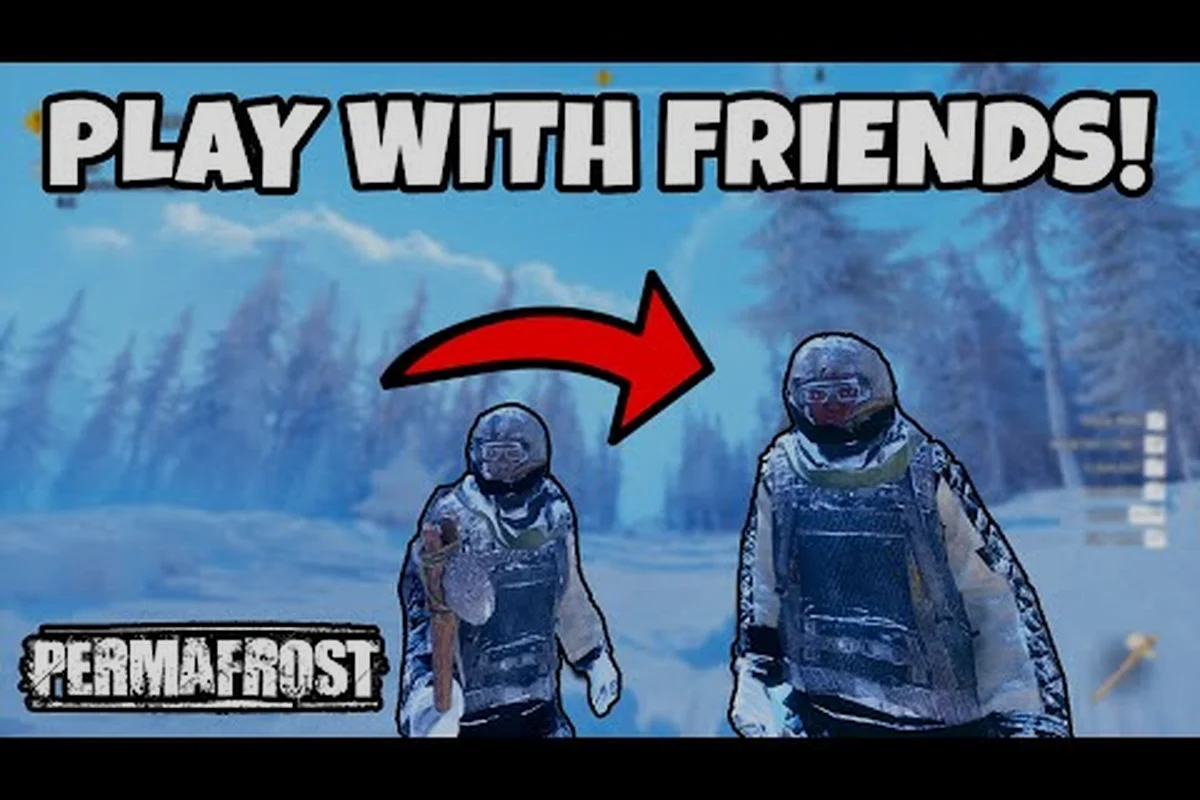
Understanding whether permafrost does co-op share progress changes how your entire group approaches the frozen wasteland. The short answer is that progression lives on the host's world, which means your friends keep their character gear but not the world state when they return to their own session. This distinction shapes everything from base building to resource allocation, so getting it right before you sink twenty hours into a shared shelter matters.
How Permafrost Co-op Save Files Actually Work
The core mechanic behind permafrost does co-op share progress revolves around a host-centric save architecture. When you create an online session, the game generates a world save file tied to your Steam profile, not to a shared cloud slot that all players access equally. Your friends who join through the multiplayer guide connect to your instance, but their individual progress in terms of world exploration, shelter placement, and story advancement remains anchored to your machine.
This design mirrors how many survival sandboxes handle multiplayer persistence, though Permafrost adds a few wrinkles specific to its frozen setting. The host world contains every structural change, every cleared landmark, and every story beat you have unlocked. When a friend logs off and later returns to their own solo game, they do not see the shelter you built together. Instead, they resume their own separate timeline, carrying over only their personal inventory and character progression.
The following table breaks down what transfers between sessions based on community testing, and it reveals a critical asymmetry that shapes how groups should plan their Permafrost co-op sessions: world-state elements (shelter structures, story progression, map exploration) are locked to whichever player hosted the session, while character-state elements (inventory, skill unlocks, canine companion status) travel with each player back to their solo game. This means a joining friend who spends three hours helping you clear frozen landmarks and erect a reinforced shelter walks away with better gear and unlocked skills, but none of that environmental progress follows them home. Understanding this split before your first session prevents the frustrating moment where a friend logs into their own save expecting to see the shared base, only to find pristine tundra.
| Progress Element | Host Sees | Joining Friend Sees |
|---|---|---|
| Shelter structures | Saved in host world | Not present in friend's solo world |
| Story progression | Saved in host world | Tied to friend's own save |
| Character inventory | Saved locally | Carries back to solo game |
| Skill unlocks | Saved locally | Carries back to solo game |
| Map exploration | Saved in host world | Not transferred to solo save |
| Canine companion status | Saved locally | Carries back to solo game |
This split means your group should decide early who will act as the primary host, because that player's world becomes the canonical shared space. According to the official Permafrost on Steam page, the game supports up to four players in online co-op, but it does not mention any form of shared world ownership across different Steam accounts.
Host World Mechanics and Session Persistence
The permafrost host world functions as the persistent anchor for your group's cooperative efforts. Every time your friends want to continue the shared base, they must join your session through the invite system rather than loading the world independently. This creates a dependency that many groups underestimate until someone tries to play while the host is offline.
When the host disconnects, the session ends for everyone. There is no dedicated server option in the current Early Access build, which means the world only exists while the host is actively running the game. The co-op progress guide covers some of the nuances around session continuity, but the essential rule is simple: no host, no shared world.
What Happens When the Host Is Offline
Your friends cannot access the shared shelter, cannot continue the group's story progression, and cannot deposit resources into the communal storage. They can still play their own solo save, but that solo world remains separate from the group's host world. This limitation frustrates some players who expect a persistent server experience, but it also keeps the save file architecture straightforward and less prone to corruption.
Inventory and Character Carryover
The one element that does transfer cleanly is your character inventory. When you join a friend's game, you bring your equipped gear, backpack contents, and unlocked skills. When you leave, those items return with you to your solo world. This means you can farm resources in your own session and then bring them into the host's world to contribute to the group base.
The following table breaks down exactly which carryover elements are stored on your character profile versus which are written into the host world's save file — a distinction that matters because Permafrost treats your survivor and the world as two separate persistence layers. For example, a guest who unlocks the Thermal Drill blueprint in a friend's session keeps that recipe permanently, but any shelter placement or story flags they contributed to are silently discarded the moment they disconnect.
| Carryover Element | Persists After Leaving | Notes |
|---|---|---|
| Equipped weapons | Yes | Stored on character profile |
| Backpack items | Yes | Full inventory transfers |
| Learned blueprints | Yes | Unlocked recipes stay unlocked |
| Shelter placement | No | Tied to host world only |
| Story flags | No | Host world tracks group progress |
| Map markers | No | Exploration is world-specific |
This asymmetry means resource sharing works smoothly, but structural progress requires coordination. If your group wants a shared base, everyone must funnel materials into the host's world rather than building separate shelters in their own saves. In practice, this means the host should be the one to place shelter walls, workbenches, and storage crates, because any structure a guest builds vanishes the moment they disconnect — even if the host was standing right next to them when it was placed. The same rule applies to story flags: if a guest triggers a signal tower or completes a survivor rescue in the host's session, that progress is written to the host world's save file only while the guest remains connected, but the host's own story progression continues normally. For groups that rotate hosts between sessions, this creates a subtle trap — you can end up with three different bases at three different upgrade tiers, none of which has the full Thermal Drill or signal booster chain unlocked, because each host's world only recorded the contributions made while that specific player was online.
How to Invite Friends and Join a Co-op Session
Setting up a permafrost co-op how to invite flow is straightforward once you understand the session model. The host opens the game, selects the co-op option from the main menu, and creates an online session. From there, the invite system uses Steam's friend list integration, which means you do not need to configure port forwarding or external IP addresses.
The join flow works like this: when a friend accepts the Steam invite and selects Join Game, the client-side handshake pulls the host's current permafrost co-op save file from the host machine, then streams only the delta data — world state, enemy spawns, and loot tables — rather than transferring the entire save. This is why the permafrost host world remains authoritative: the guest never downloads a copy of the host's save, and the host's session acts as the single source of truth for all progression events. In practical terms, a friend joining mid-expedition appears at the host's current location, but their permafrost join friends game session reads character data from their own local profile, so their skills, perks, and inventory slots stay intact without touching the host's progression flags.
-
The host creates a session and sets it to Friends Only or Invite Only
-
The host opens the Steam overlay and selects friends to invite
-
Friends receive a Steam notification and click Join Game
-
The game loads the host's world and places the friend at the host's current location
-
The friend's character appears with their own inventory and skills intact
This process is covered in more detail in the invite friends guide, which also addresses common connection issues. The key takeaway for progression is that joining a friend's game never overwrites your own solo save, and leaving never overwrites the host's world.
Session Privacy Settings
The host can toggle between Friends Only, Invite Only, and Public modes. Public sessions allow random players to join, which can be useful for meeting new survivors but introduces risk if you are protecting a valuable base. Community reports suggest that most groups stick with Friends Only to avoid griefing, since there is no permission system to restrict what visitors can interact with.
Connection Stability Considerations
Because the host's machine runs the session, their internet upload speed and hardware stability directly affect everyone's experience. A host with a weak connection will cause rubber-banding, delayed interactions, and occasional disconnects for all players. If your group experiences frequent drops, try rotating the host role to see if a different player's connection improves stability.
Balancing Challenge Between Solo and Group Play
The question of permafrost solo vs co-op difficulty comes up frequently because the game does not advertise a formal difficulty slider. Instead, the challenge scales implicitly through resource demands and enemy encounter design. Playing solo means every resource run, every shelter expansion, and every hostile encounter falls entirely on your shoulders.
In co-op, the workload splits across up to four players, but the game does not appear to reduce resource requirements or enemy health to compensate. This means co-op is generally easier in terms of time investment, but not necessarily in terms of raw combat challenge. A group of four can gather materials four times faster, but they also consume food and fuel four times faster.
The following table summarizes the practical differences based on player reports, but a few patterns deserve emphasis before you read it: the host player always carries the authoritative save file, so any progress made on a client's character — skills, inventory, or unlocked recipes — persists, while world-state changes like base construction and story flags only save to the host's machine. This explains why "permafrost does co-op share progress" gets contradictory answers: character progression is shared, but world progression is not, and if the host is offline, guests cannot continue that world at all.
| Factor | Solo Experience | Co-op Experience |
|---|---|---|
| Resource gathering speed | Slow, all manual | Fast, parallel collection |
| Combat difficulty | High, no backup | Moderate, shared aggro |
| Base building time | Long, solo labor | Short, divided tasks |
| Food consumption | Low, one mouth | High, multiple mouths |
| Story progression | Self-paced | Requires host online |
| Death penalty | Full solo recovery | Allies can revive |
The canine companion also changes the solo equation significantly. Your dog can carry items, gather resources, and guard your position, which partially offsets the lack of human teammates. The dog role mechanics guide explains how to maximize that utility when playing alone.
When Solo Is the Better Choice
Solo play shines when you want complete control over pacing, base placement, and resource allocation. You never wait for the host to come online, never coordinate schedules, and never deal with conflicting priorities. If your play sessions are irregular or you prefer a meditative survival experience, solo remains a perfectly viable path through the frozen world.
When Co-op Justifies the Coordination Cost
Co-op becomes worth the scheduling overhead when you want to tackle larger building projects, split specialized roles, or simply share the atmospheric tension of Permafrost's frozen wasteland with friends. The social layer adds a dimension that solo play cannot replicate, even if the progression model requires you to designate a consistent host.
Planning Your Group's Progression Strategy
Because permafrost does co-op share progress only through the host's world, your group should establish a clear progression strategy before investing significant hours. The most common approach is to designate one player as the permanent host who plays regularly and has a stable connection. That player's world becomes the group's primary save file, and everyone else treats their own solo worlds as personal side projects.
A second approach involves rotating hosts, but this fragments progression across multiple worlds and generally leads to confusion about which save contains the latest group base. Community data suggests that groups who rotate hosts often abandon the shared world within a week because no one remembers which session has the most advanced shelter.
The following table outlines three common group progression models, each with distinct trade-offs that shape how your permafrost co-op save file evolves over time. The permanent host model concentrates all base-building, research unlocks, and story milestones into one player's world, which means that host's availability directly gates everyone else's access to shared progress. Rotating hosts, by contrast, spread permafrost host world progression across multiple save files, creating a scenario where a shelter built on Tuesday may not exist on Thursday's session. The parallel solo plus occasional co-op model sidesteps scheduling conflicts entirely but sacrifices shared base continuity, since permafrost does co-op share progress only when players are actively connected to the same host world.
| Strategy | How It Works | Best For | Main Drawback |
|---|---|---|---|
| Permanent host | One player always hosts | Regular groups with reliable schedule | Host must be online for group play |
| Rotating hosts | Different player hosts each session | Casual groups with flexible timing | Fragmented world progression |
| Parallel solo + occasional co-op | Everyone plays solo, joins for events | Groups with mismatched schedules | No shared base continuity |
Whichever model you choose, the host world becomes the single source of truth for your group's cooperative achievements. Make sure everyone understands that their individual solo saves will not sync with the group's world, and plan resource contributions accordingly.
Resource Sharing Best Practices
Since inventory carries over between sessions, the most efficient resource-sharing method is for each player to farm materials in their own solo world and then bring those materials into the host's session. This allows parallel gathering without requiring everyone to be online simultaneously. When you join the host's world, deposit your haul into communal storage, and the group's shared base grows faster than any solo effort could manage.
Avoiding Common Progression Pitfalls
The most frequent mistake new co-op groups make is assuming that everyone shares the same world state. A friend might spend three hours building a shelter in their own solo game, then join the host's world expecting to see that structure. When it does not appear, confusion sets in. Understanding the host-centric save model from the start prevents this disappointment and keeps your group focused on building in the right world.
Frequently Asked Questions
Does Permafrost co-op share progress between all players?
No. World progression, including shelters, story flags, and map exploration, only saves to the host's world. Joining players keep their character inventory, skills, and blueprints, but those elements do not transfer to the host's world state. Each player maintains a separate solo save.
Can my friends play in our shared world when I am offline?
No. The host must be online and running the session for friends to access the shared world. There is no dedicated server option in the current Early Access build, so the world exists only while the host is actively playing. Friends can still play their own solo saves during that time.
What happens to my gear when I leave a friend's game?
Your equipped weapons, backpack contents, and unlocked skills all return with you to your solo world. Nothing you carry is lost when the session ends. This allows you to farm resources in your own game and bring them into the host's world on your next visit.
Does co-op make the game easier than solo?
Co-op reduces time pressure by splitting gathering and building tasks across multiple players, but the game does not scale down resource requirements or enemy health. Food and fuel consumption increase with more players, so coordination matters. Solo play benefits from the canine companion's help with carrying and gathering.
How do I set up a co-op session in Permafrost?
The host creates an online session from the main menu, sets privacy to Friends Only or Invite Only, and sends invites through the Steam overlay. Friends click Join Game to connect. The process requires no port forwarding or external configuration, and joining never overwrites either player's save file.
The host-centric save model defines how permafrost does co-op share progress, and understanding it early prevents wasted hours and frustrated teammates. Designate your primary host, funnel resources into that world, and treat individual solo saves as personal side projects. With that framework in place, your group can focus on surviving the endless winter together rather than untangling save file confusion.