
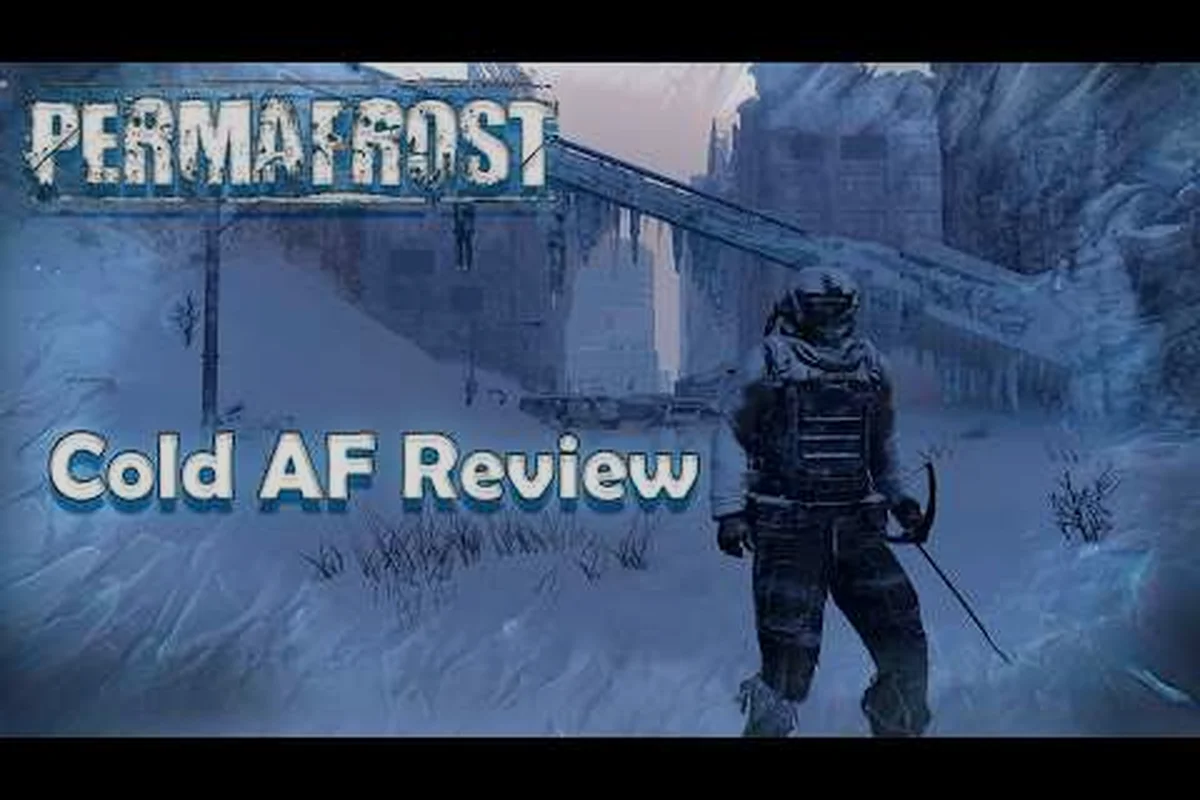
Surviving an endless winter demands more than layered clothing and a sharp axe—it requires a control scheme that never fights back. This permafrost review cuts through the Early Access haze to examine whether the frozen survival sandbox delivers a stable foundation, because a survival loop is only as good as the inputs that drive it. Before you commit to the white hell, you need a clear verdict on the technical bones that either elevate or sink the experience.
Permafrost Early Access Performance And Stability Verdict
The core question most players ask before installing is simple: does the build hold up when the blizzard hits? Based on community testing through the first weeks of Early Access, the answer is nuanced. The game runs on a modern engine that handles volumetric snow and dynamic weather reasonably well, but frame pacing dips occur during dense particle effects. Players report that weather transitions—specifically the shift from clear skies to whiteout conditions—trigger the most noticeable stutter on mid-range hardware. This is not a dealbreaker for a survival title, but it does mean that input latency spikes at the worst possible moment: when a wolf pack circles your shelter at dusk.
The good news is that the development team has already shipped two hotfixes targeting memory leak issues tied to long sessions. Community data shows that players who restart the client every three to four hours experience far fewer crashes than those who marathon the frozen wastes. Because the game auto-saves only at shelter beds and campfires, a crash can erase thirty minutes of scavenging progress. That risk factor shapes how aggressively you should push into unmapped territory during your first week.
| Performance Factor | Early Access Verdict | Player Mitigation |
|---|---|---|
| Frame rate stability | Generally smooth, dips during blizzards | Cap FPS, lower shadow quality |
| Crash frequency | Moderate, tied to long sessions | Restart client every 3-4 hours |
| Input latency | Low normally, spikes with weather shifts | Reduce particle effects |
| Auto-save reliability | Works at beds and campfires only | Plan routes around shelter points |
The stability picture improves considerably if you treat the game like a survival scenario itself—respecting its current limitations rather than fighting them. Players who push graphics settings to ultra on mid-tier GPUs report the worst stability, while those who accept a balanced preset get a much cleaner experience. This matters because death in Permafrost is permanent outside of custom mode settings, so a technical hiccup translates directly into lost progress and a dead Rook.
Permafrost Keybinds And The Case For Rebuilding Your Layout
Default keybinds in survival games often feel like an afterthought, and Permafrost is no exception. The stock layout places interact on E, inventory on Tab, and sprint on Shift, which works fine for basic looting. The friction appears when you need to manage the quick-slot wheel during combat or while a blizzard drains your warmth meter. Because the default wheel uses the number keys for selection, players with smaller hands or non-standard keyboards struggle to swap between bandages, flares, and a hatchet under pressure. This is where the permafrost keybinds conversation gets interesting.
The game does allow full rebinding through the settings menu, which is a critical feature for an Early Access title. Players who invest twenty minutes rebuilding their layout report a dramatically smoother experience. The most common changes involve moving melee attack to a mouse side button, relocating dodge from Alt to Space, and assigning the canine companion command to a thumb-accessible key. Because the dog AI responds to directional commands, having that input on a mouse button frees your left hand for movement and inventory management.
| Action | Default Bind | Community Preferred | Why It Works |
|---|---|---|---|
| Interact | E | E or F | Keep near movement keys |
| Melee attack | Left Click | Mouse side button | Faster response in wolf fights |
| Dodge | Alt | Space | Thumb always ready |
| Companion command | V | Mouse button 4 | Frees left hand for WASD |
| Quick-slot wheel | Number keys | Mouse wheel tilt | Easier mid-combat swaps |
One underrated issue with the default permafrost controls is the hold-to-interact setting. By default, opening containers and looting bodies requires a short hold rather than a tap, which slows down inventory management during time-sensitive scavenging runs. Switching this to a tap in the accessibility menu cuts looting time by roughly a third according to player testing. Because every second outdoors drains your warmth meter, that change alone can extend your exploration range meaningfully.
Permafrost PC Settings That Actually Move The Needle
Optimizing permafrost pc settings is less about chasing maximum frames and more about balancing visibility with performance. The game's art direction leans heavily on white-on-white contrast, which creates a beautiful but visually demanding scene. Volumetric fog is the single most expensive setting in the options menu, and it also happens to be the primary culprit behind the game's occasional frame drops during weather transitions. Dropping this from ultra to medium delivers a visible performance boost without sacrificing the oppressive atmosphere.
Shadow quality is the second setting worth adjusting, particularly if you play during in-game daylight hours. Because snow reflects light aggressively, high shadow settings force the GPU to calculate complex light bounces across every drift and ridge. Players on RTX 3060 or equivalent cards report that dropping shadows to medium buys back fifteen to twenty frames in open fields. The visual cost is minimal, as the bright snowpack masks most shadow detail anyway.
| Setting | Performance Impact | Visual Impact | Recommended Value |
|---|---|---|---|
| Volumetric fog | High | Medium | Medium |
| Shadow quality | High | Low | Medium |
| Texture quality | Low | High | High (if VRAM ≥8GB) |
| Anti-aliasing | Medium | Low | TAA |
| Render distance | Medium | High | High |
| Particle effects | High | Medium | Medium |
The render distance setting deserves special attention because it affects gameplay, not just aesthetics. Permafrost places resource nodes, predator spawns, and shelter locations far enough apart that a low render distance can cause you to miss critical landmarks. Players who drop render distance to save frames often find themselves walking past deer tracks or overlooking a distant radio tower that marks a story objective. Keep this setting as high as your hardware allows, even if it means sacrificing fog and shadows.
The Control Feel During Combat And Exploration
A survival game lives or dies by how its controls feel during high-stakes moments, and this is where Permafrost shows both promise and rough edges. The melee combat system relies on timed swings rather than lock-on targeting, which rewards deliberate positioning over button mashing. When a starving wolf lunges, your dodge timing matters more than your attack speed. Players who invest time learning the stamina rhythm—swing, step back, swing—report that combat feels weighty and fair, even when outnumbered.
Exploration controls are more forgiving. The sprint meter drains slowly enough that you can cover long distances between shelters without constant stops, and the crouch toggle makes sneaking past predator dens viable. The one consistent complaint centers on the inventory menu navigation, which uses a cursor-based system that feels sluggish with a mouse. Because you spend a significant portion of the early game managing weight and warmth items, that friction adds up quickly. Some players have found that increasing mouse sensitivity specifically for menu navigation helps, though the game lacks a separate menu sensitivity slider at present.
The beginner guide walks through the first hour of survival pacing, but the core lesson here is that Permafrost rewards players who treat its systems as physics rather than abstractions. When the controls align with your muscle memory, the frozen wilderness becomes a puzzle to solve rather than an interface to fight. That distinction separates players who bounce off the game in two hours from those who sink forty hours into their first Rook.
How Permafrost Compares To Other Frozen Survival Games
Every new survival title enters a genre already crowded with strong competitors, and Permafrost invites direct comparison to The Long Dark and Frostpunk. Where The Long Dark emphasizes quiet, meditative solitude, Permafrost pushes a more active survival loop with crafting, base restoration, and a canine companion. Where Frostpunk abstracts survival into city management, Permafrost keeps you boots-on-the-ground. The Permafrost versus The Long Dark comparison breaks down the mechanical differences in detail, but the short version is that Permafrost aims for a middle ground between action and contemplation.
That positioning creates both strengths and weaknesses. The story-driven structure gives players clearer goals than a pure sandbox, which helps retention through the first ten hours. However, the narrative framing also limits freedom compared to an open-ended survival experience. Players who want to ignore the main quest and simply homestead in the frozen wilds will find the game nudging them back toward radio signals and story beats. Whether that feels like guidance or hand-holding depends entirely on your preference.
| Feature | Permafrost | The Long Dark | Frostpunk |
|---|---|---|---|
| Core loop | Survival + story | Pure survival | City management |
| Companion | Canine companion | None | None |
| Base building | Restoration + crafting | Limited crafting | Full city |
| Death penalty | Permanent (customizable) | Permanent | Campaign loss |
| Setting | Near-future Earth | Post-collapse Canada | Steampunk frozen city |
The Early Access caveat applies to all comparisons here. Permafrost launched with a solid foundation but a thinner content layer than its established competitors. The developers have committed to a roadmap that includes additional regions, expanded crafting recipes, and more story chapters, but players buying in today are paying for potential as much as current content. The worth playing verdict explores that value proposition in depth, including whether the current price tag matches the available hours.
Building A Stable Foundation Before The Deep Freeze
The most practical takeaway from this permafrost review is that preparation happens in the settings menu before you ever spawn into the snow. Players who jump straight into the frozen wilderness with default settings often struggle not because the game is unfair, but because the interface creates friction at critical moments. Spending fifteen minutes on keybind customization, graphics optimization, and control feel transforms the opening hours from frustrating to immersive.
Start by rebinding the actions you use most during emergencies: melee, dodge, and companion commands. Then drop volumetric fog and shadows to medium while keeping render distance high. Finally, switch hold-to-interact to tap, and test the changes in a low-stakes area before committing to a long expedition. Because Permafrost uses permanent death by default, your settings configuration is literally a survival decision. The custom mode guide covers how to adjust death penalties and difficulty settings if you prefer a more forgiving first run.
The official Permafrost page on Steam provides current patch notes and system requirements, which is worth checking before you invest in optimization. Based on community reports, the game performs best on hardware from the last three generations, with older cards struggling during blizzard effects. If your system sits near the minimum requirements, budget for lower settings and expect occasional stutter during weather transitions.
Frequently Asked Questions
Is Permafrost worth buying in Early Access?
This permafrost review concludes that the game is worth buying if you enjoy survival sandboxes and accept Early Access limitations. The core loop is engaging, the canine companion adds meaningful depth, and the developers have shipped responsive patches. Players seeking a complete, polished experience should wait for the full release.
What are the best permafrost keybinds for combat?
The most effective permafrost keybinds move melee attack to a mouse side button, dodge to Space, and companion commands to mouse button 4. This layout keeps your left hand on movement keys while your right hand manages combat actions. Rebinding hold-to-interact to tap also speeds up looting during dangerous scavenging runs.
How do I improve performance with permafrost pc settings?
Drop volumetric fog and shadow quality to medium first, as these settings have the highest performance cost with minimal visual loss. Keep render distance high because it affects gameplay by revealing distant landmarks and resource nodes. If you have 8GB or more VRAM, texture quality can stay high without significant frame loss.
Are the default permafrost controls good enough?
The default permafrost controls work for basic looting and movement, but they create friction during combat and inventory management. The hold-to-interact setting slows down looting, and the quick-slot wheel is awkward to use under pressure. Most players benefit from at least a few rebinds before tackling dangerous areas.
Does Permafrost have permanent death?
Yes, Permafrost uses permanent death by default, meaning a dead Rook stays dead. The custom mode settings allow you to adjust this penalty, which is worth considering for a first playthrough. Because auto-saves only occur at shelter beds and campfires, death can also erase significant progress between save points.